Location· CityMETER · Thailand
A week of local reports tells a different story from a day
City Events & NoticesDuring the 10 October 2026 inspection, the 24-hour view showed 457 reports. Switching to seven days produced 3,089. Changing the window changes the reading task—from recent notices to a sequence of reports that may deserve follow-up over time.
A view inside CityMETER
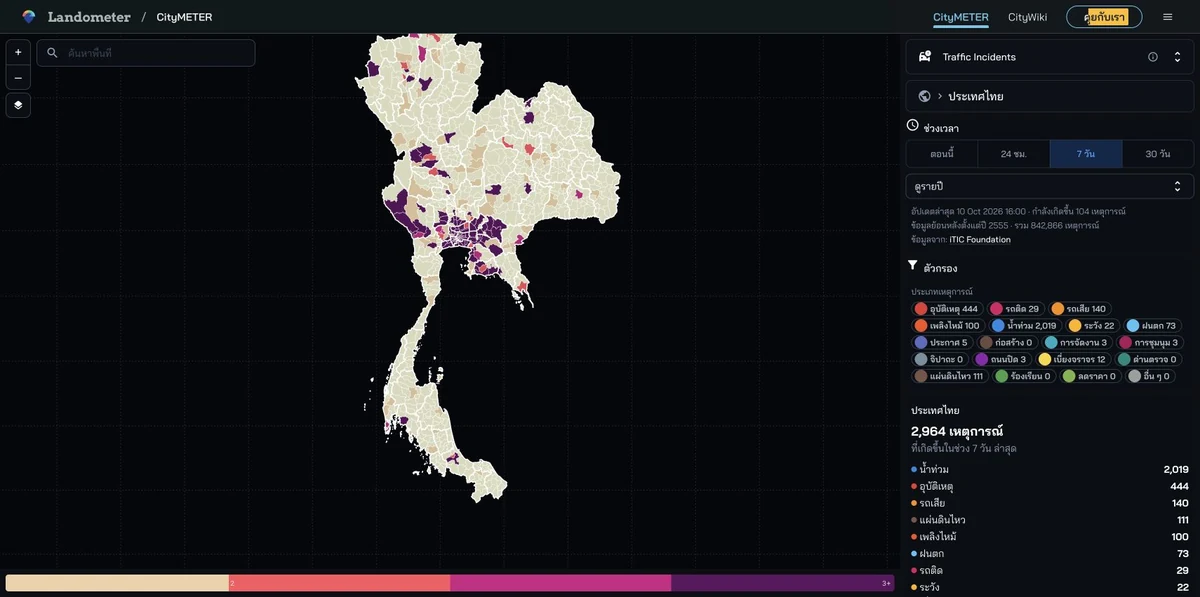
Thailand · early 10 October 2026 snapshot · report records in 24-hour and seven-day windows · figures belong to that inspection.
- Data period
- Selected recent or historical period
- Coverage
- Areas and periods with reports in the database
- Level of detail
- Reports · recorded category, location and time
- Publisher
- Read the details in sources
Place-based information has a sequence
A person preparing a visit or coordinating work needs information connected to the period being considered. Time and report-type selections help narrow the view before location and timestamp are read together. Moving from one day to a week creates room to examine reports across several moments. The team can decide which earlier records need to be read to understand the sequence. The value is in giving attention an order: which report is relevant, where does it refer to, and what other information should be opened before the next conversation?
Choose the report category that matters
The inventory brings together different kinds of reports and notices. Selecting a relevant category keeps the reader from giving every entry the same job. If the assignment concerns travel or work in an area, identify the connected categories and open the original report. Retain its date and link beside the question it raises. A colleague can then understand what drew attention to that place and return to the same account before contacting anyone. The report becomes a traceable starting point for coordination rather than an unattributed item passed between conversations.
Read related reports together
Where several records concern the same area, read their timing and contents together. The next task may be to obtain more information about a matter already being followed. Retaining the individual reports and their sources lets the team see which piece of information changed its understanding. It also makes the reference for the next contact explicit. This is a different kind of value from remembering the total number of reports: it is the ability to reconstruct a sequence, identify the account being relied upon and decide what needs checking next.
Build a follow-up list with links back to the reports
From the 3,089 reports in that seven-day snapshot, select only those connected to the team’s area and assignment. Keep location, time, type and original link, then give each selected matter one next question. When reopening the view later, retain the new reference time as well. The map becomes a working record for coordination and learning from reports. Every follow-up remains connected to the account that prompted it, making it easier to explain why attention was given to a place and how subsequent information developed the picture.
Explore your own place
Choose the area, report type and time window relevant to the work, then open the original report before recording the follow-up question.
Sources and reading notesPublisher, period, coverage and references
Specialist source
- Data publisher
- Original report sources vary by record; not every report publisher is verified
- Source
- Records are imported through Longdo while the view credits iTIC. Feed transport and original provider can differ; check the source of the report being cited.
- Data period
- Choose recent or historical periods available in the database. Read the start date and coverage for the selected period.
- Coverage
- Reports and notices for available periods; coverage varies by area and import period
- Level of detail
- Reports with category, location and time where available; multiple reports may describe one event
Read the references
Further notes for comparison or citation
Several reports may describe one event, and no report does not mean no event occurred.
Report counts are not unique events or traffic volume. An early historical record does not prove continuous coverage, and no report does not mean no event.
Captured on 10 October 2026. Values and available controls may change in the live service.